Credential Management Software: How Acre Secures Every Card, Phone, and Visitor Badge From One Platform

Every badge, mobile pass, and visitor credential your organization issues is an access decision. It decides who can enter a building, a server room, or a restricted floor. When those credentials sit on aging on-premises servers, live in disconnected visitor logs, or depend on cards that can be cloned, those decisions are no longer fully under your control.
That is where most credential management software falls short. Security teams inherit cards that stay active after former employees leave, temporary badges that never expire, and spreadsheets that track who holds which credential. Each manual step adds risk, and each disconnected system reduces visibility across the estate.
Acre Security closes those gaps with one connected portfolio. Acre Access Control provides cloud-native credential management. Access It! and DNA Fusion provide on-premises control. Acre Wallet delivers mobile digital credentials. Acre Identity by TDS manages visitor credentials, and Acre Bridge gives on-premises customers a path to the cloud at their own pace.
This guide shows how each part of that portfolio upgrades the way your organization issues, manages, and revokes credentials. It draws on verified results from Acre customers, including Google, Western Kentucky University, Randstad Belgium, Pinterest, and an Irish Leinster-based County Council.
Note: If your organization still relies on cloneable cards, manual revocation, or a visitor process that runs separately from access control, then Acre can bring every credential under one connected platform without rip-and-replace. You’ll be able to issue and revoke mobile credentials remotely, give visitors temporary access tied to access control, and move to the cloud site by site using the hardware you already own. Talk to the Acre team to map your current credential estate to a clear migration plan.
Where Legacy Credential Management Software Creates Risk, and How Acre Closes the Gap
Most credential problems are not caused by a single failure. They build up over years as systems are added site by site, cards are issued without expiry dates, and visitor processes run separately from access control. The four gaps below are the ones Acre's platforms are built to close.
Cloneable Cards That Invite Credential Theft and Credential Fraud
Legacy proximity cards communicate without encryption, so a credential can be copied and reused by someone who never received it. Once a credential is copied, every access decision that relies on it is compromised. The audit logs will show an authorized cardholder rather than the person who actually walked through the door.
Credentials remain a primary target for attackers. According to Descope's analysis of the 2026 Verizon Data Breach Investigations Report, credential abuse appeared at some point in the attack chain in 39% of breaches, more than any other vector. That data covers IT systems, but the principle carries directly into physical security: a credential that can be stolen or duplicated is a credential that can be misused to gain access.
Acre addresses credential theft at both the credential and the reader. Acre Multi-Tech Readers support MIFARE DESFire EV2/EV3, LEAF, and Acre Mobile Credentials, and they are OSDP-compliant with Secure Channel encryption between reader and controller. When an Irish Leinster-based County Council faced easily cloneable RFID cards across its buildings, Acre replaced them with encrypted credentials. That project is covered in detail in the cloud migration section below.
Manual Credential Management That Leaves Former Employees With Access
Manual credential management works when an organization has a few dozen doors and a small team. As headcount grows, it becomes a time sink. An administrator must remember to deactivate cards when employees leave, change access levels when roles change, and confirm who still holds credentials for critical systems. Every missed step leaves inactive accounts with live access.
Physical cards also stay in the cardholder's possession after employment ends. If the deactivation step is missed, the card still works, and nothing on the card itself signals that its holder no longer belongs on site.
Acre reduces that exposure in two ways. Acre Access Control lets administrators grant and revoke access instantly from one platform, from any location. Acre Wallet moves credentials from plastic to the user's phone or watch, so administrators can revoke them remotely and no physical card remains in circulation.
Visitor Credentials That Sit Outside Access Control
Many organizations still manage visitors with a paper log or a standalone check-in tool that has no connection to the access control system. Temporary badges are printed without expiry, hosts are notified manually, and there is no reliable record of which areas a visitor could enter.
Acre Identity by TDS links visitor flows, access control, and compliance tools, so visitor credentials follow the same policies as employee credentials. Google, which began its partnership with Acre in 2012, uses Acre's TDS Visitor Suite with Access Integration to control visitor access based on site requirements across more than 300 locations.
On-Premises Servers That Hold Credential Data Back
Credential data stored on aging on-premises servers is harder to protect, harder to back up, and harder to manage across sites. Every server is another system to patch, monitor, and eventually replace, and each one adds to the cost of running the credential management system.
Acre gives organizations three deployment options: cloud, on-premises, or both. Acre Access Control was built for the cloud and includes automatic daily backups and multi-server redundancy. For organizations not ready to move, Access It! and DNA Fusion run on-premises, and Acre Bridge provides a path to the cloud that lets teams migrate site by site.
Acre's Credential Management Software Portfolio for Cloud, On-Premises, and Hybrid Deployments
Choosing credential management software starts with where your credential data needs to live. Some organizations want a cloud platform with no on-site servers. Others need local infrastructure for data residency, air-gapped environments, or regulatory reasons. Acre offers platforms for each model, and its cloud and on-premises platforms share open, non-proprietary hardware, so organizations can change deployment models without starting over.
Acre Access Control: Cloud-Native Credential Management Software
Acre Access Control is Acre's cloud SaaS access control platform, powered by the Feenics platform. Acre states that it was built for the cloud rather than adapted to it. For teams managing credentials, that architecture provides:
- Management of doors, users, and data from the office, from home, or from any other location.
- Instant granting and revoking of access, with scheduled door access from one platform.
- Full support for iOS and Android with mobile app controls.
- Automatic daily backups, multi-server redundancy, and unattended upgrades for simplified maintenance.
- Scripting for programming, integrations, and workflows.
Acre Access Control is the platform on which Acre Wallet is fully supported, which makes it the most direct route to mobile digital credentials across a distributed estate. Randstad Belgium uses Acre Access Control as the foundation of a cloud-native platform that covers its headquarters and more than 100 branches with no on-site servers to maintain.
Access It!: On-Premises Credential Management on Mercury Hardware
Access It! is Acre's flagship on-premises access control platform for broad enterprise deployment. It is built on non-proprietary Mercury hardware and provides real-time monitoring, full command functionality, remote access from desktop or mobile, and a RESTful API for integrations with security tools and IT systems.
Western Kentucky University shows what Access It! delivers for credential management at scale. WKU consolidated onto Access It! as part of a broader overhaul covering identity management, card production, and audit infrastructure. The university now manages approximately 20,000 active identities across roughly 600 access-controlled doors. Manual provisioning was replaced with automation that draws on ERP and housing management data as the source of truth, so access is assigned and updated from verified identity data.
Because Acre Access Control runs on the same open, non-proprietary hardware that Access It! already uses, existing controllers and readers become the starting point for a future cloud move rather than a cost to write off.
DNA Fusion: Credential Issuance and Badging in One Open Platform
DNA Fusion is Acre's open-platform access control software for organizations that need to manage access control, video, intrusion, and audio as a unified system. For credential management teams, DNA Fusion brings badging and access assignment into the same workspace:
- Design, issue, and manage credentials in one place.
- Create access groups, assign access levels, and add users in a few clicks.
- Native connectivity to video, biometrics, and audio systems.
- InfoReady reporting with real-time reports on access activity, personnel, and system events.
- Management of users, doors, cameras, and system status from a desktop or mobile device.
Like Access It!, DNA Fusion gives organizations a path to the cloud where the existing configuration is the starting point, not a rebuild.
Acre Smart Controller: Cloud-Ready Credential Control for Smaller Teams
Smaller teams often protect a handful of critical doors, such as a front entrance, a server room, or a warehouse, and do not need enterprise infrastructure to do it. The Acre Smart Controller delivers cloud-ready access control built for small and medium businesses.
Each controller supports up to 4 doors and 8 readers, with real-time monitoring, centralized control, and cloud updates. Smaller teams get the same remote credential management model as larger enterprises, with room to add doors and sites as they grow.
Acre Wallet: Mobile Digital Credentials That Replace Plastic Cards
Plastic cards create ongoing cost and ongoing risk. They must be printed, distributed, replaced when lost, and recovered when employees leave. Acre Wallet removes most of those steps by placing access credentials in the mobile wallet that employees already use every day.
Issue and Revoke Digital Credentials Remotely
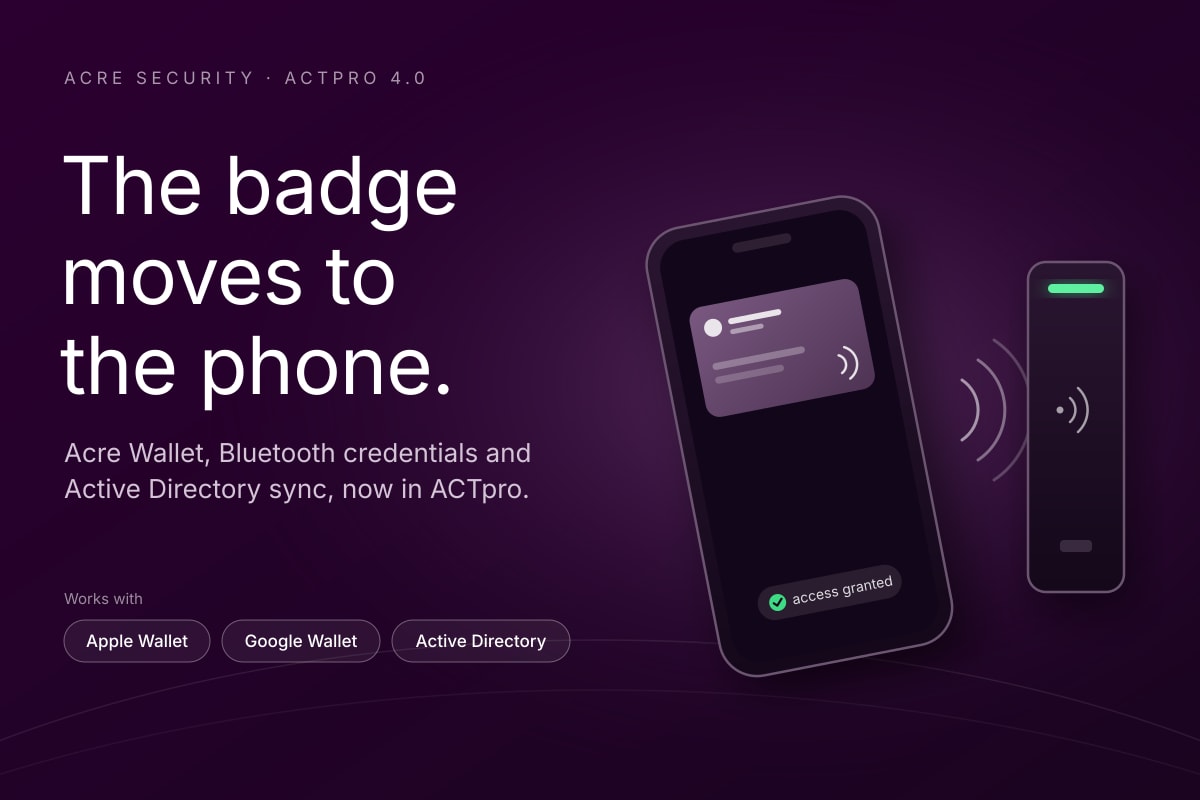
Acre Wallet lets users store an access credential in Apple Wallet, Google Wallet, or Samsung Wallet on a phone or watch, then tap to enter doors, elevators, parking, and other access points. Administrators issue and cancel credentials remotely, keeping access aligned with real-world changes such as new hires, contractor engagements, and departures.
No separate app download is required. If a user's phone already has Apple Wallet or Google Wallet, that user can start using Acre Wallet immediately. That reduces enrollment friction and shortens the time between a new hire's start date and first access.
Reducing Credential Sharing and Lost-Card Risk
Physical cards are easy to lend, easy to lose, and easy to keep after leaving. Acre Wallet credentials exist only on authorized devices. When an employee leaves the organization, administrators revoke access remotely, and no physical card remains in circulation.
Mobile credentials are also linked to the phone's built-in security, such as Face ID, fingerprint scans, or passcodes. That makes casual credential sharing far harder than handing a colleague a card, and it means a lost phone is a locked phone rather than an open door. If a device is lost or stolen, administrators can revoke the credential immediately.
Running Mobile and Card Credentials Side by Side
Not every employee wants or can use a mobile credential. Some lack smartphones, and others prefer a traditional badge. Acre Wallet works in mixed-credential environments, and Acre Multi-Tech Readers accept smart cards, proximity badges, NFC credentials, and Wallet-based mobile access at the same reader.
Selected reader models also offer legacy proximity support for phased credential upgrades. Organizations can move to mobile credentials in stages, testing with pilot groups before full rollout, rather than replacing every card at once.
Acre Multi-Tech Readers and OSDP Secure Channel
The reader is where a credential becomes an access decision, so reader security matters as much as the credential itself. Acre Multi-Tech Readers support:
- Proximity, smart card, NFC, and Bluetooth (BLE) credential formats.
- MIFARE DESFire EV2/EV3, LEAF, and Acre Mobile Credentials.
- Apple Wallet and Google Wallet credentials on Wallet-ready models such as the AT10-7WS-M mullion reader.
- OSDP compliance with Secure Channel encryption for tamper-resistant communication.
- OSDP Auto-Detect for setup and remote firmware updates without rewiring.
Matching the Three Types of Credentials to Risk With Acre
Security teams usually describe credentials in three categories, often called authentication factors. Strong credential management software lets you combine them based on the sensitivity of each door rather than applying one method everywhere. The three types are:
- Something you know, such as a PIN or password.
- Something you have, such as a smart card, key fob, or mobile credential.
- Something you are, such as a fingerprint, face, or iris.
Acre's portfolio supports each type, which lets security teams set stronger requirements for critical systems without adding friction at every entrance.
Possession Credentials: Encrypted Cards and Mobile Wallets
For most doors, a possession credential is the primary factor. Acre supports encrypted smart card technology such as MIFARE DESFire EV2/EV3 and mobile credentials through Acre Wallet, both read by the same Multi-Tech Readers.
Mobile credentials add a layer that cards cannot. Because the credential is linked to the phone's own security, the user must unlock the device before it can be used, which effectively pairs a possession factor with a knowledge or biometric factor on the phone itself.
Biometrics and Multi Factor Authentication for Critical Systems
Server rooms, data centers, pharmacies, and executive suites often justify multi factor authentication at the door. DNA Fusion offers native connectivity to biometric systems, so a possession credential can be combined with a biometric factor where the risk warrants it. With that combination in place, a stolen card or phone is not enough on its own to gain access.
Multi factor authentication also matters for the people who administer credentials. In the County Council deployment, Acre's solution combined encryption, MFA, and secure cloud data storage to protect sensitive data such as access logs and personnel records. Read more about Acre's biometric access control here.
Automating the Credential Lifecycle With Acre
Effective credential management depends on what happens between issuing a credential and revoking it. Roles change, contractors arrive and leave, and departments reorganize. When each change requires a manual update, permissions drift and excessive privileges accumulate. Acre's platforms automate the lifecycle so access reflects current reality rather than last year's org chart.
Source-of-Truth Provisioning From ERP Data
Western Kentucky University replaced manual provisioning with source-of-truth automation that draws on ERP and housing management data. Delta-based reconciliation continuously checks the access control system against the trusted source and corrects discrepancies, whether they were intentional or accidental.
The result is a credential management system where access follows verified identity data instead of individual requests. For an estate of approximately 20,000 active identities, that removes a large volume of manual work and closes the gap between a change in status and a change in access.
Role Based Access Controls and Least Privilege
Role based access controls tie permissions to job functions, so each role receives a defined access set. This reduces over-permissioning and simplifies audits, because reviewers check roles rather than thousands of individual cardholders. DNA Fusion lets administrators create access groups and assign access levels in a few clicks, and Acre Access Control lets teams schedule door access so credentials work only when they should.
Applied consistently, role based access controls support the principle of least privilege: each person receives the minimum access needed for their work, for only as long as they need it. Fine-grained permissions also limit lateral movement on site, so a compromised credential for one area does not open sensitive areas elsewhere.
Revoking Access for Former Employees and Inactive Accounts
Orphaned credentials are one of the most common gaps in physical security. A card that belonged to a former employee, or an account that has not been used in months, remains a valid key until someone removes it.
Acre shortens that window in three ways: instant revocation in Acre Access Control, remote cancellation of Acre Wallet credentials, and automated reconciliation against source systems, as WKU's Access It! deployment demonstrates. Together, they keep the number of inactive accounts with live access as close to zero as your source data allows.
Managing Credentials Across Multiple Sites With Acre
Multi-site organizations face a version of every credential problem multiplied by the number of buildings they operate. Each site may have its own system, its own administrator, and its own approach to issuing badges. One person can end up with multiple accounts across those systems, each granting more access than the last, and no single view shows the full picture. Acre consolidates that sprawl into fewer, connected platforms.
Verify Identity Before a Credential Is Issued
A credential is only as trustworthy as the identity behind it. If the verification step is weak, every access decision that follows inherits that weakness, and the organization risks reputational damage when an unverified person is found inside a secure area.
Acre builds verification into the start of the lifecycle. Acre Identity includes ID verification as part of visitor pre-registration and check-in, so temporary credentials are issued only after a visitor's identity has been checked. For employees, WKU's Access It! deployment assigns and updates access from verified identity data drawn from ERP and housing management systems, rather than from individual requests that are hard to verify after the fact.
One Platform for Secure Access Across Every Location
Once identities are verified, the next priority is consistency. Acre Access Control lets administrators manage doors, users, and data across sites from one cloud platform, so a credential change made at headquarters applies wherever that person holds access. Randstad Belgium uses this model to cover its headquarters and more than 100 branches from a single platform with no on-site servers.
The same principle applies to visitors and to older estates. Google runs Acre's visitor platform across more than 300 locations, and the Irish Leinster-based County Council used Acre to standardize access across its council buildings. In each case, the result is secure access governed by one set of policies rather than a different rulebook at every site, and fewer places for sensitive data to sit unprotected.
Acre Identity by TDS: Visitor Credential Management at Enterprise Scale
Visitors, contractors, and temporary workers need credentials too, and they are often the least controlled population on site. Acre Identity by TDS manages the full visitor journey and connects it to access control, so temporary credentials follow the same rules as permanent ones. Visitor management is also where Acre's enterprise customer record is strongest.
Pre-Registration, ID Verification, and Badge Printing
Acre Identity streamlines arrival with pre-registration, ID verification, self-service kiosks, and badge printing. Its check-in tools cover guests, contractors, and temporary workers.
Because the platform links visitor flows, access control, and compliance tools, a visitor's credential can be tied to the areas their visit requires. Acre states that this integration does not require a rip-and-replace of the systems already in place.
Google: 300+ Locations and More Than 20 Million Visitor Check-Ins
Google began its partnership with Acre in 2012. Acre deployed the TDS Visitor Suite, including Visitor Management, TDS Gateway, TDS Rest API, and Access Integration, across Google's global estate. Kiosks handle guest check-in, and the system manages visitor workflows, sets host responsibilities, and controls visitor access based on site requirements.
Through TDS Gateway, visitors scan a QR code on their badge to pass through authorized doors and turnstiles for approved events and designated areas. Acre's solutions are deployed at more than 300 Google locations and have facilitated more than 20 million unique visitor check-ins across Google's global estate.
Pinterest: Cloud Visitor Management With Deep Access Control Integration
Pinterest's San Francisco headquarters hosts frequent visitors for meetings, events, and tours. Its previous provider had support problems with deep access control integration. After a four-week proof of concept, Pinterest chose Acre in early 2023 and planned a global rollout.
The cloud-based system supports visitor profiles, visitor information tracking, and digital badge issuance, and it delivers the deep access control integration that the previous provider could not.
Temporary Access Credentials for Contractors and Guests
The County Council deployment shows how visitor and employee credentials work together in practice. The Council now runs a unified, integrated visitor management system that tracks visitors in real time and issues temporary access credentials securely. Evacuation mustering is integrated into the same system, so the Council knows who is on site when it matters most.
Moving Credential Management to the Cloud With Acre
For many organizations, modernizing credential management is tied to a larger move away from on-premises servers. The concern is usually disruption: thousands of credentials, schedules, and permissions that cannot go offline. Acre's migration approach is built around that concern.
Acre Bridge: Migrate Site by Site at Your Own Pace
Acre Bridge connects existing Acre on-premises systems to Acre Access Control, so organizations can move to the cloud while their current environment keeps running. Acre describes the approach as connecting the existing system to Acre Bridge and migrating site by site at a pace operations can absorb.
According to Acre, Acre Bridge carries credentials, schedules, and permissions forward, while Acre Professional Services plans the move. Acre Bridge is a migration device. It supports the transition and is not intended to remain as a long-term component of the system.
Keep the Hardware You Already Own
Acre Access Control runs on the same open, non-proprietary hardware that Access It! uses, so existing controllers and readers are the starting point for a cloud move. DNA Fusion customers follow the same principle: the existing configuration is the starting point, not a rebuild. Acre maps panels, controllers, and configuration before anything moves, which reduces the risk of credentials or schedules being lost in transition.
Irish Leinster-Based County Council: From Cloneable Cards to Encrypted Cloud Credentials
The Irish Leinster-based County Council manages administrative offices, libraries, and community centers. Many of its buildings used legacy RFID card systems that were easily cloneable, and access control data sat on outdated on-premises servers without protections such as encryption and MFA.
Acre modernized the Council's estate with tdsAccess. The project:
- Replaced cloneable RFID cards with encrypted credentials.
- Moved access control to cloud-based centralized control with MFA.
- Standardized access across council buildings.
- Automated time and attendance, with employees clocking in and out using secure RFID cards.
- Added integrated visitor management and evacuation mustering.
Read more here.
Randstad Belgium: One Cloud Platform Across 100+ Branches
Randstad Belgium's security had grown piecemeal. Most branches ran their own access control, some sites were hosted and managed by building owners, and video, intrusion, and access control each ran on separate systems. The company wanted one platform it could manage itself, and a new Brussels headquarters increased the need.
Working with integrator G4S and distributor SmartSD, Acre delivered a cloud-native, serverless platform built on Acre Access Control. Video connects through a cloud-to-cloud integration, and existing intrusion panels were upgraded to SPC and connected to Acre Access Control. Randstad now manages access, video, and intrusion from a single platform across its headquarters and more than 100 branches, with no on-site servers to maintain. The system grows by adding components, without a rip-and-replace.
Audit Logs, Regulatory Compliance, and Visibility With Acre
Credential management is only as strong as the record it leaves behind. Regulators and auditors want to know who had access, who used it, and when it was removed. HIPAA's Security Rule, for example, requires audit controls that record and examine activity in information systems containing electronic protected health information. GDPR requires organizations to demonstrate how they process personal data, which includes visitor and access records.
Acre's platforms support those requirements with built-in reporting and logging:
- Acre Identity maintains detailed access logs, ID records, and policy alerts to help meet compliance requirements, including GDPR and internal governance.
- DNA Fusion InfoReady delivers real-time reports on access activity, personnel, and system events.
- Access It! includes a system insights dashboard, and its open database supports custom reporting.
- WKU built custom dashboards and audit and data-mining workflows directly on the Access It! database.
Compliance responsibility stays with each organization, and certification scope should be confirmed for the specific Acre products and services in use. Acre's role is to give security, IT, and compliance teams the audit logs and visibility they need to show that access controls are working as intended.
How Acre Fits Alongside Password Managers and IT Credential Tools
The term credential management software covers more than one category, and buyers often research them together. Understanding the difference helps teams decide where Acre fits and how it connects to tools they already own.
Password Managers and Windows Credential Manager
A password manager stores and fills login credentials for websites and applications, encourages unique credentials for each account, and helps eliminate weak passwords and reused passwords. Enterprise password management and privileged access tools extend that model to privileged accounts, API keys, and other secrets used by IT teams.
Windows Credential Manager is a built-in Windows feature that stores saved sign-in credentials for websites, apps, and network resources. To access the credential manager, open the Control Panel, select User Accounts, and then select Credential Manager, or search for "Credential Manager" from the Windows taskbar. It manages credentials for one user on one device, not physical access credentials across an organization.
These tools protect digital identity and system access. They do not issue a badge, unlock a door, or record who entered a building. Acre's credential management system covers that physical layer. Acre Access Control and Access It! list Active Directory and Microsoft 365 in their integration ecosystems, which helps teams coordinate physical and IT credential programs.
HID Credential Management
HID credential management generally refers to HID Global's tools for issuing and managing physical and digital credentials. According to HID, its Credential Management System automates issuance, lifecycle, and audit management of smart card, token, and mobile credentials. HID Origo Mobile Identities is HID's cloud service for mobile credentials used for physical access.
Organizations comparing HID with Acre should look at how each approach connects credentials to the access control platform, visitor management, and the cloud migration path. With Acre, credential issuance stays inside the access control layer: administrators issue, modify, and revoke Acre Wallet credentials from the same centralized platform that manages doors, schedules, and users.
Key Evaluation Criteria for Credential Management Software, and How Acre Measures Up
When comparing credential management software for physical security, a few criteria separate platforms that reduce risk from platforms that only digitize existing processes. The table below summarizes the questions to ask and how Acre answers them.
<div style="overflow-x:auto;">
<table style="width:100%;border-collapse:collapse;font-size:16px;line-height:1.5;">
  <thead>
    <tr>
      <th style="background:#1F3A5F;color:#ffffff;text-align:left;padding:12px;border:1px solid #d0d7de;">Criterion</th>
      <th style="background:#1F3A5F;color:#ffffff;text-align:left;padding:12px;border:1px solid #d0d7de;">What to ask</th>
      <th style="background:#1F3A5F;color:#ffffff;text-align:left;padding:12px;border:1px solid #d0d7de;">How Acre addresses it</th>
    </tr>
  </thead>
  <tbody>
    <tr>
      <td style="padding:12px;border:1px solid #d0d7de;font-weight:600;">Deployment flexibility</td>
      <td style="padding:12px;border:1px solid #d0d7de;">Can credential data live in the cloud, on-premises, or both?</td>
      <td style="padding:12px;border:1px solid #d0d7de;">Acre Access Control (cloud), Access It! and DNA Fusion (on-premises), and hybrid configurations</td>
    </tr>
    <tr>
      <td style="padding:12px;border:1px solid #d0d7de;font-weight:600;">Credential formats</td>
      <td style="padding:12px;border:1px solid #d0d7de;">Can encrypted cards and mobile credentials work at the same reader?</td>
      <td style="padding:12px;border:1px solid #d0d7de;">Acre Multi-Tech Readers support DESFire EV2/EV3, LEAF, proximity, NFC, BLE, and Apple and Google Wallet on Wallet-ready models</td>
    </tr>
    <tr>
      <td style="padding:12px;border:1px solid #d0d7de;font-weight:600;">Lifecycle automation</td>
      <td style="padding:12px;border:1px solid #d0d7de;">Can access follow HR or ERP data automatically?</td>
      <td style="padding:12px;border:1px solid #d0d7de;">WKU runs source-of-truth provisioning and delta-based reconciliation on Access It!</td>
    </tr>
    <tr>
      <td style="padding:12px;border:1px solid #d0d7de;font-weight:600;">Revocation speed</td>
      <td style="padding:12px;border:1px solid #d0d7de;">How quickly can access be removed?</td>
      <td style="padding:12px;border:1px solid #d0d7de;">Instant grant and revoke in Acre Access Control; remote revocation of Acre Wallet credentials</td>
    </tr>
    <tr>
      <td style="padding:12px;border:1px solid #d0d7de;font-weight:600;">Visitor credentials</td>
      <td style="padding:12px;border:1px solid #d0d7de;">Are visitor credentials connected to access control?</td>
      <td style="padding:12px;border:1px solid #d0d7de;">Acre Identity by TDS, deployed at Google and Pinterest</td>
    </tr>
    <tr>
      <td style="padding:12px;border:1px solid #d0d7de;font-weight:600;">Migration path</td>
      <td style="padding:12px;border:1px solid #d0d7de;">Can you move to the cloud without replacing hardware?</td>
      <td style="padding:12px;border:1px solid #d0d7de;">Acre Bridge for site-by-site migration; shared open, non-proprietary hardware</td>
    </tr>
    <tr>
      <td style="padding:12px;border:1px solid #d0d7de;font-weight:600;">Reader security</td>
      <td style="padding:12px;border:1px solid #d0d7de;">Is reader-to-controller communication encrypted?</td>
      <td style="padding:12px;border:1px solid #d0d7de;">OSDP Secure Channel encryption on Acre Multi-Tech Readers</td>
    </tr>
    <tr>
      <td style="padding:12px;border:1px solid #d0d7de;font-weight:600;">Audit and reporting</td>
      <td style="padding:12px;border:1px solid #d0d7de;">Can you produce audit logs on demand?</td>
      <td style="padding:12px;border:1px solid #d0d7de;">Acre Identity access logs and policy alerts; DNA Fusion InfoReady reports</td>
    </tr>
    <tr>
      <td style="padding:12px;border:1px solid #d0d7de;font-weight:600;">Integrations</td>
      <td style="padding:12px;border:1px solid #d0d7de;">Does it connect to identity, video, and workplace systems?</td>
      <td style="padding:12px;border:1px solid #d0d7de;">Active Directory and Microsoft 365 in the ecosystem; a RESTful API for Access It! integrations; video and intrusion integration</td>
    </tr>
  </tbody>
</table>
</div>
Pricing is the final criterion. Many software vendors publish premium tiers and enterprise plans, but physical credential management depends on door counts, hardware, and deployment model. Acre scopes each deployment to the estate, and the Acre TCO calculator helps teams compare the cost of their current approach with a cloud model before they commit.
Upgrade Your Credential Management Software With Acre
Credential risk rarely announces itself. It shows up as a card that still works after its holder has left, a visitor badge with no expiry, or a server that nobody wants to touch. Acre replaces each of those weak points with a connected platform: encrypted and mobile credentials, automated lifecycle management, visitor credentials tied to access control, and a migration path to the cloud that starts with the hardware you already own.
If your credentials still depend on cloneable cards, manual revocation, or a visitor process that runs outside access control, Acre can modernize each layer without rip-and-replace. Talk to the Acre team to map your current estate to a cloud migration plan, or use the Acre TCO calculator to see what the move would cost.

Read more articles