
Les 5 meilleures alternatives de Genetec pour la gestion unifiée de la sécurité en 2026
.webp)
Genetec s'est imposé comme un leader dans le domaine de la gestion unifiée de la sécurité, en proposant une plateforme complète qui intègre la vidéosurveillance, le contrôle d'accès, l'analyse de données et la gestion des alarmes. Ses fonctionnalités robustes et son haut degré de personnalisation en font un choix privilégié pour les grandes entreprises et les environnements complexes. Cependant, alors que les organisations recherchent une plus grande flexibilité, un coût total de possession réduit et des modèles de déploiement plus adaptables, notamment des options cloud et hybrides, nombreuses sont celles qui explorent des alternatives à Genetec. Ce guide propose une comparaison, réalisée par des experts, des principaux concurrents de Genetec, évaluant leurs points forts, leurs modèles de tarification et leurs cas d'utilisation idéaux afin d'aider les responsables de la sécurité à prendre des décisions éclairées.
Aperçu
- Les plateformes de sécurité unifiées s'orientent vers des architectures cloud, hybrides et ouvertes afin de réduire la complexité et les coûts d'infrastructure.
- Acre Security est la meilleure alternative globale à Genetec pour les organisations à la recherche d'une gestion unifiée, d'une flexibilité de déploiement et d'intégrations ouvertes.
- Milestone Systems convient aux environnements hautement personnalisés, tandis qu'Avigilon se distingue par ses analyses IA avancées.
- Eagle Eye Networks et Rhombus Systems constituent d'excellents choix pour les déploiements axés sur le cloud et distribués.
Aperçu des meilleurs concurrents de Genetec
| Plateforme | Déploiement | Idéal pour | Points forts | Modèle de tarification |
|---|---|---|---|---|
| Acre Security | Cloud, hybride, sur site | Gestion unifiée globale | Architecture évolutive et flexible | Abonnement, licence perpétuelle |
| Milestone Systems | Sur site, hybride | Personnalisation et intégrations | Plateforme ouverte, écosystème de partenaires | Perpétuel, abonnement |
| Avigilon | Sur site, hybride | Analyses IA et sites d'entreprise | Analyses avancées, écosystème unifié | Licence perpétuelle, abonnement |
| Eagle Eye Networks | Cloud, hybride | Déploiements en cloud hybride | Indépendant du matériel, évolutif | Abonnement |
| Rhombus Systems | Cloud | Environnements modernes axés sur le cloud | Interface utilisateur simple, native du cloud | Abonnement |
Qu'est-ce que Genetec et pourquoi envisager des alternatives ?
Genetec est une plateforme de sécurité physique unifiée qui regroupe des fonctions de sécurité essentielles telles que la vidéosurveillance sur IP, le contrôle d'accès, la reconnaissance automatique des plaques d'immatriculation (ALPR), la détection d'intrusion et les communications au sein d'un système unique et modulaire. Elle vise à offrir aux organisations une vue d'ensemble de leur environnement de sécurité et à simplifier la surveillance, l'intervention et le reporting sur l'ensemble des sites et des appareils. Security Center prend en charge les déploiements hybrides et sur site et s'intègre à de nombreux systèmes tiers pour s'adapter aussi bien aux petits sites qu'aux grandes entreprises distribuées.
Malgré ses atouts, certaines organisations envisagent des alternatives pour des raisons telles que :
- Complexité et courbe d'apprentissage : la richesse des fonctionnalités et la configurabilité de Genetec peuvent constituer un défi sans formation spécialisée ou expertise technique.
- Coût total : les déploiements à grande échelle, les analyses avancées et la maintenance continue peuvent entraîner des coûts initiaux et récurrents importants.
- Préférences de déploiement : certaines équipes préfèrent des solutions cloud natives ou hybrides plus simples qui réduisent les frais d'infrastructure ou la dépendance vis-à-vis des serveurs sur site.
Ces facteurs conduisent les responsables de la sécurité à explorer d'autres plateformes qui peuvent offrir un déploiement plus facile, une tarification plus transparente, une orientation cloud plus marquée ou des opérations quotidiennes plus simples.
Comment choisir le meilleur concurrent de Genetec
Capacités de gestion unifiées
Commencez par des plateformes qui unifient véritablement la vidéo, le contrôle d'accès, les alarmes et l'analyse au sein d'une seule interface. Une visibilité et un contrôle centralisés réduisent les frictions opérationnelles, accélèrent les temps de réponse et simplifient la gestion sur plusieurs sites.
Options de déploiement dans le cloud ou en mode hybride
Des modèles de déploiement flexibles sont essentiels pour les équipes de sécurité modernes. Les solutions cloud et hybrides réduisent les coûts d'infrastructure, rationalisent les mises à jour et facilitent l'extension des sites sans investissement lourd sur site.
Fonctionnalités d'analyse et d'IA
Les fonctionnalités d'analyse et d'IA intégrées améliorent la connaissance de la situation et accélèrent les enquêtes. Des fonctionnalités telles que la recherche intelligente, les alertes automatisées et les informations en temps réel aident les équipes à détecter les menaces et à y répondre plus efficacement.
Prise en charge du matériel ouvert
Les plateformes ouvertes compatibles avec une large gamme de caméras et d'appareils protègent les investissements existants et évitent la dépendance vis-à-vis d'un fournisseur. Cette large compatibilité facilite également les mises à niveau et les intégrations futures.
Tarification transparente et évolutivité
Optez pour des licences claires et des coûts prévisibles. Une tarification modulaire et une extension aisée garantissent que le système peut évoluer avec votre organisation tout en maîtrisant le coût total de possession.
Les 5 meilleurs concurrents de Genetec en 2026
Acre Security
Meilleure alternative globale en matière de gestion unifiée de la sécurité
Acre Security propose une plateforme unifiée pour la vidéosurveillance, le contrôle d'accès, les alarmes et l'analyse, pouvant être déployée sur site, dans le cloud ou dans des environnements hybrides. Son architecture est conçue pour unifier des systèmes disparates sous une seule couche de gestion, réduisant ainsi la complexité et améliorant l'efficacité opérationnelle sur l'ensemble des sites distribués.
Caractéristiques principales
La plateforme d'Acre regroupe les fonctions de sécurité essentielles au sein d'une seule interface tout en prenant en charge des modèles de déploiement flexibles. Elle intègre du matériel et des logiciels tiers, permettant ainsi aux organisations de préserver leurs investissements existants. Les outils de reporting et de conformité intégrés rationalisent l'audit et la supervision, et l'architecture s'adapte pour accompagner la croissance de l'entreprise.
Pourquoi nous l'avons choisi
Acre offre un excellent équilibre entre la richesse des fonctionnalités et la flexibilité de déploiement. Son approche unifiée élimine le besoin de systèmes distincts ou de portails de plusieurs fournisseurs, tout en proposant des options qui s'alignent sur les stratégies informatiques modernes, notamment des implémentations prêtes pour le cloud et hybrides.
Avantages
- Gestion unifiée de la vidéo, des accès, des alarmes et de l'analyse
- Flexibilité de déploiement dans le cloud, en mode hybride et sur site
- Large interopérabilité avec les systèmes tiers
- Architecture évolutive adaptée aux environnements d'entreprise
- Options de tarification modulaires et transparentes
Inconvénients
- La configuration initiale peut nécessiter une planification et des efforts techniques
- Les analyses avancées et certaines fonctionnalités sont souvent proposées sous licence séparée
- L'interface peut sembler complexe pour les petites équipes ne bénéficiant pas d'un support dédié
Tarification
Acre propose une combinaison d'abonnements et de licences perpétuelles. Les coûts varient en fonction du modèle de déploiement, des modules sélectionnés, ainsi que du nombre d'utilisateurs et d'appareils. La tarification modulaire aide les organisations à adapter leurs dépenses à leurs besoins fondamentaux et à leurs plans de croissance.
Cas d'utilisation idéaux
Acre convient parfaitement aux organisations qui cherchent à unifier les fonctions de sécurité dans des environnements de grande taille ou distribués, en particulier celles qui passent à des modèles hybrides ou cloud ou qui cherchent à intégrer divers écosystèmes matériels sans dépendance vis-à-vis d'un fournisseur.
Milestone Systems
Meilleure plateforme de sécurité ouverte et personnalisable
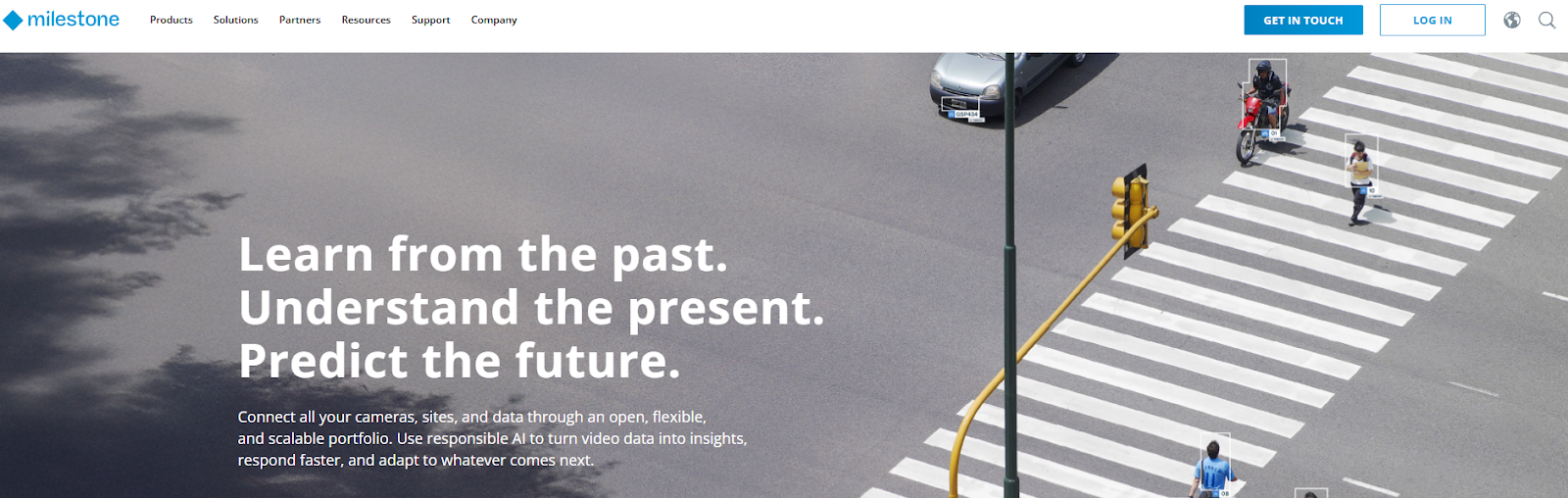
Milestone Systems est surtout connu pour son logiciel de gestion vidéo sur plateforme ouverte, largement utilisé par les organisations qui ont besoin de flexibilité et d'une personnalisation poussée. Son architecture prend en charge de nombreuses intégrations tierces, permettant aux équipes de sécurité de combiner caméras, contrôle d'accès, analyses et autres systèmes au sein d'une solution sur mesure plutôt que d'un écosystème fermé.
Caractéristiques principales
Milestone propose une plateforme ouverte qui s'intègre à une large gamme de caméras, de systèmes de contrôle d'accès et d'outils d'analyse. Son logiciel s'adapte aussi bien aux petits déploiements qu'aux grandes entreprises distribuées et inclut des fonctionnalités avancées de recherche, d'investigation et de gestion vidéo. Un vaste écosystème de partenaires étend ses fonctionnalités grâce à des intégrations et des modules complémentaires spécialisés.
Pourquoi nous l'avons choisi
Milestone se distingue par son ouverture et son interopérabilité. Les organisations disposant d'environnements matériels hétérogènes ou ayant des exigences opérationnelles spécifiques peuvent mettre en place des systèmes hautement personnalisés sans être liées à des appareils ou à des fournisseurs propriétaires.
Avantages
- Compatibilité étendue avec le matériel et les logiciels tiers
- Grande flexibilité en matière de personnalisation et d'intégration
- Vaste écosystème de partenaires et de développeurs
- Performances éprouvées dans les déploiements à grande échelle
- Options de licence flexibles : licence perpétuelle et abonnement
Inconvénients
- Nécessite une expertise technique pour la configuration et l'optimisation continue
- Certaines fonctionnalités dépendent d'intégrations tierces
- Les environnements complexes peuvent devenir plus difficiles à gérer au fil du temps
Tarification
Milestone propose à la fois des licences perpétuelles et des abonnements. Les coûts varient généralement en fonction du nombre de caméras, du niveau de fonctionnalités et des intégrations, ce qui permet aux organisations d'adapter leurs dépenses en fonction de la taille du déploiement et des exigences.
Cas d'utilisation idéaux
Milestone convient particulièrement aux organisations disposant d'environnements matériels diversifiés, ayant déjà investi dans des solutions tierces ou ayant des besoins d'intégration spécialisés. Il est particulièrement efficace pour les campus, les villes et les entreprises qui privilégient la personnalisation et le contrôle plutôt qu'un système tout-en-un.
Avigilon
Idéal pour l'analyse IA et l'intégration d'entreprise
Avigilon est une plateforme de sécurité unifiée qui combine la vidéosurveillance, le contrôle d'accès et l'analyse, avec un accent particulier sur les capacités avancées d'intelligence artificielle. Elle est souvent déployée dans les grandes entreprises, les infrastructures critiques et les environnements hautement sécurisés où la détection proactive des menaces et les enquêtes rapides sont des priorités.
Caractéristiques principales
Avigilon propose des analyses vidéo basées sur l'IA, notamment la détection d'objets, la détection de mouvements inhabituels et des outils de recherche intelligents qui accélèrent les enquêtes. Sa plateforme intègre la vidéo, les accès et les alarmes au sein d'un environnement de gestion unique et prend en charge la redondance et le basculement pour garantir la fiabilité de l'entreprise. Une intégration poussée avec les produits et services de Motorola Solutions étend encore davantage sa portée dans les opérations de sécurité d'entreprise.
Pourquoi nous l'avons choisi
Nous avons sélectionné Avigilon pour les environnements qui nécessitent des capacités d'analyse puissantes et une intégration de niveau entreprise. Ses capacités d'IA contribuent à réduire le temps consacré à l'examen manuel et à améliorer la connaissance de la situation, tandis que son écosystème prend en charge les grands sites ayant des exigences élevées en matière de haute disponibilité et de performances.
Avantages
- Outils avancés d'IA et d'analyse
- Gestion unifiée de la vidéo, des accès et des alarmes
- Fonctionnalités d'évolutivité et de redondance d'entreprise
- Assistance étendue et services professionnels
Inconvénients
- Les fonctionnalités d'analyse et avancées entraînent souvent des coûts supplémentaires
- Intégration plus étroite avec le matériel propriétaire que chez certains concurrents
- La configuration matérielle requise peut augmenter les coûts de déploiement
Tarification
Avigilon utilise un modèle de tarification modulaire basé sur les fonctionnalités d'analyse, le nombre d'appareils et l'échelle de déploiement. Les fonctionnalités de base sont facturées séparément des analyses avancées, et l'assistance entreprise représente généralement un investissement supplémentaire.
Cas d'utilisation idéaux
Avigilon convient parfaitement aux grandes entreprises, aux installations gouvernementales et aux campus hautement sécurisés qui accordent la priorité à la détection proactive des menaces, aux enquêtes rapides et à une disponibilité robuste du système.
Eagle Eye Networks
Meilleure option de cloud hybride pour une sécurité unifiée
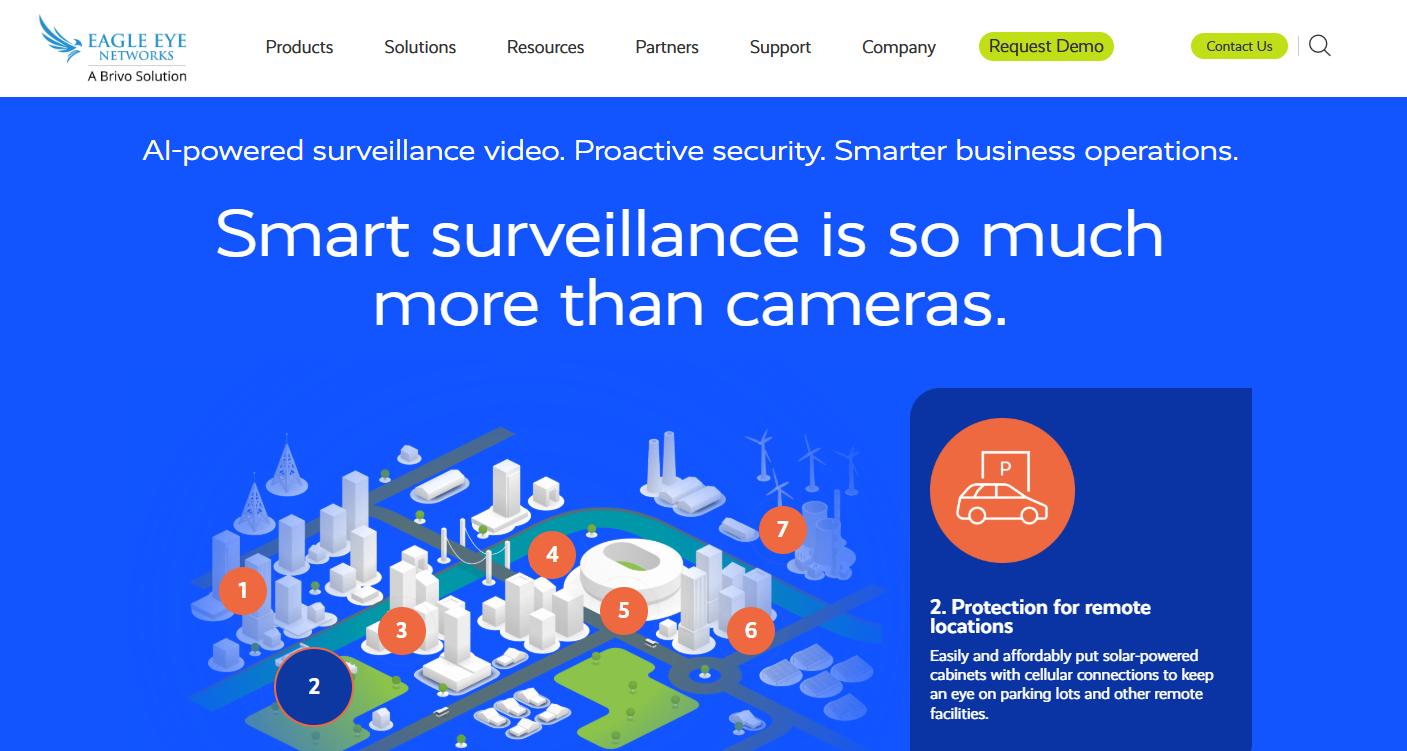
Eagle Eye Networks propose une plateforme de sécurité centrée sur le cloud hybride qui combine la gestion vidéo avec la prise en charge du contrôle d'accès et des intégrations. Son approche indépendante du matériel et son architecture compatible avec le cloud la rendent adaptée aux environnements distribués où la gestion centralisée, le déploiement rapide et la réduction des coûts d'infrastructure sont des priorités.
Principales fonctionnalités
La plateforme d'Eagle Eye offre une gestion vidéo cloud et hybride, une administration centralisée pour les opérations multisites et une API ouverte pour les intégrations tierces. Son indépendance vis-à-vis du matériel permet aux organisations de conserver leurs caméras et appareils existants tout en adoptant progressivement les services cloud. Le stockage et la gestion basés sur le cloud simplifient l'accès et réduisent le besoin de serveurs sur site.
Pourquoi nous l'avons choisi
Nous avons sélectionné Eagle Eye Networks car cette solution offre une grande flexibilité sans imposer l'adoption de matériel propriétaire. Son approche cloud hybride aide les organisations à se déployer rapidement, à évoluer efficacement et à passer à des opérations orientées cloud à leur propre rythme.
Avantages
- Options de déploiement flexibles et indépendantes du matériel
- Prise en charge solide du cloud et des solutions hybrides
- Gestion centralisée pour les sites géographiquement dispersés
- Tarification simple par abonnement
Inconvénients
- Les capacités d'analyse avancées peuvent être moins abouties que celles des plateformes d'IA spécialisées
- Certaines intégrations nécessitent une configuration ou des services tiers
- Dépendance vis-à-vis d'une connexion Internet fiable pour les fonctions cloud essentielles
Tarification
Eagle Eye Networks fonctionne selon un modèle d'abonnement, dont les tarifs sont basés sur le nombre de caméras, l'utilisation du stockage, les niveaux de fonctionnalités et les services cloud. Le modèle d'abonnement permet d'aligner les coûts sur l'échelle opérationnelle et l'utilisation.
Cas d'utilisation idéaux
Eagle Eye Networks convient parfaitement aux organisations disposant de sites dispersés, telles que les chaînes de magasins, les franchises ou les réseaux éducatifs, qui ont besoin d'une visibilité centralisée et de déploiements évolutifs sans infrastructure sur site lourde.
Rhombus Systems
Meilleure plateforme cloud unifiée moderne
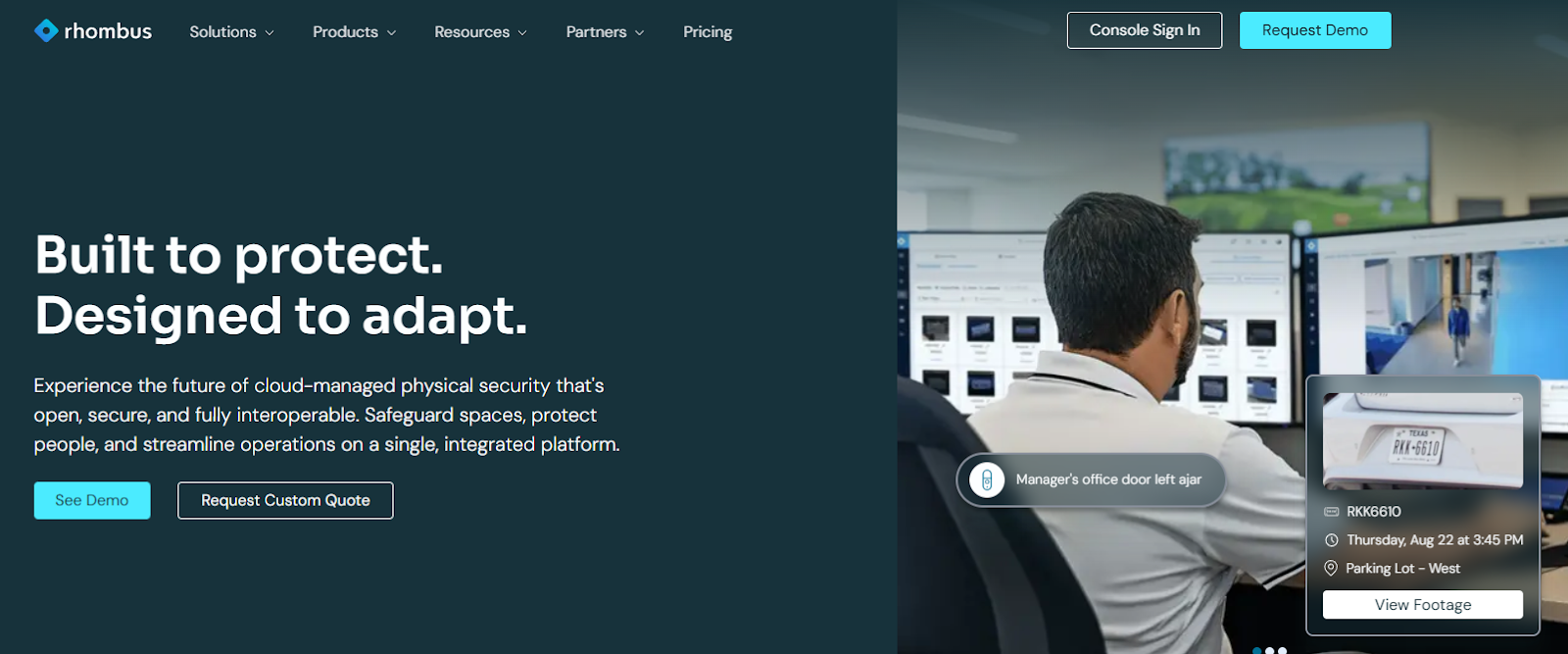
Rhombus Systems propose une plateforme de sécurité native du cloud qui unifie la vidéosurveillance, le contrôle d'accès, les capteurs et l'analyse au sein d'une interface web unique. Son accent mis sur la simplicité, l'automatisation et le déploiement rapide en fait un choix attractif pour les organisations qui privilégient la facilité d'utilisation et les opérations axées sur le cloud.
Principales fonctionnalités
Rhombus offre une architecture native du cloud avec des mises à jour automatiques, une gestion centralisée et des informations en temps réel. Son interface intuitive et la prise en charge des applications mobiles simplifient l'administration quotidienne, tandis que les analyses et les alertes intégrées aident les équipes à détecter rapidement les problèmes. La prise en charge intégrée des capteurs IoT modernes étend les capacités au-delà des caméras et du contrôle d'accès.
Pourquoi nous l'avons choisi
Rhombus se distingue par sa facilité de déploiement et sa conception axée sur le cloud. Les organisations qui recherchent une solution de sécurité unifiée sans la complexité des systèmes de gestion vidéo (VMS) traditionnels ni une infrastructure lourde peuvent adopter et faire évoluer Rhombus rapidement, avec un minimum de frais d'exploitation.
Avantages
- Plateforme native du cloud avec mises à jour automatiques
- Expérience utilisateur intuitive et moderne
- Tarification simple par abonnement, maintenance incluse
- Large intégration des capteurs et de l'IoT
Inconvénients
- Options de déploiement sur site limitées
- Certaines fonctionnalités avancées réservées aux niveaux supérieurs
- Moins adapté aux environnements hautement personnalisés ou aux intégrations approfondies avec des solutions tierces
Tarification
Rhombus propose une tarification par abonnement simple, basée sur le nombre d'appareils et les niveaux de fonctionnalités. Toutes les mises à jour, la maintenance et les services cloud sont inclus dans l'abonnement, ce qui simplifie la budgétisation et les opérations courantes.
Cas d'utilisation idéaux
Rhombus est idéal pour les organisations qui souhaitent un déploiement rapide, une gestion de la sécurité centrée sur le cloud et une expérience utilisateur moderne sans nécessiter de support informatique important.
| Plateforme | Style d'architecture | Ouverture et intégrations | Profondeur analytique | Complexité du déploiement | Profil des coûts | Environnement le plus adapté |
|---|---|---|---|---|---|---|
| Genetec | Sur site, hybride | Modéré | Élevé | Élevé | Élevé | Grande entreprise complexe |
| Acre Security | Cloud, hybride, sur site | Élevé | Fort | Modéré | Modéré | Entreprise, multisite |
| Milestone Systems | Sur site, hybride | Très élevé | Modéré à fort | Plus élevé | Modéré | Personnalisé, matériel mixte |
| Avigilon | Sur site, hybride | Modéré | Très élevé | Modéré | Élevé | Haute sécurité, axé sur l'IA |
| Eagle Eye Networks | Cloud, hybride | Élevé | Modéré | Faible à modéré | Abonnement, prévisible | Distribué, commerce de détail, franchise |
| Rhombus Systems | Natif du cloud | Modéré à élevé | Modéré | Faible | Abonnement, prévisible | Priorité au cloud, équipes modernes |
Aperçu des tarifs
Le prix d'une plateforme de sécurité unifiée dépend moins de la licence de base que de l'échelle, du modèle de déploiement et des fonctionnalités avancées. Alors que la plupart des fournisseurs proposent désormais des formules d'abonnement en plus des licences perpétuelles, le coût total de possession dépend du nombre d'appareils, de sites et de fonctionnalités d'analyse requis, ainsi que de l'infrastructure nécessaire pour les prendre en charge.
Les plateformes cloud et hybrides transfèrent généralement les coûts vers des abonnements prévisibles qui regroupent l'hébergement, le stockage, les mises à jour et la maintenance. Cela réduit les dépenses d'investissement initiales et simplifie la mise à l'échelle. Les déploiements sur site traditionnels nécessitent souvent un investissement initial plus élevé pour les serveurs, le stockage et la gestion continue du système, mais peuvent séduire les organisations soumises à des exigences strictes en matière d'infrastructure ou de conformité.
Lorsque vous comparez les fournisseurs, concentrez-vous sur l'ensemble des coûts plutôt que sur le seul prix de la licence. Les principaux facteurs sont généralement le nombre d'appareils ou de caméras, les modules d'analyse et d'IA, la durée de conservation des données, les niveaux d'assistance et les services professionnels pour le déploiement. Évaluer ces facteurs dès le début permet d'éviter les surprises budgétaires et garantit que la plateforme reste rentable à mesure que votre environnement évolue.
Pourquoi les organisations choisissent Acre Security
Acre Security est conçu pour les organisations qui souhaitent une sécurité unifiée sans complexité inutile. En combinant la vidéosurveillance, le contrôle d'accès, les alarmes et l'analyse sur une seule plateforme, Acre rationalise les opérations et offre une visibilité cohérente sur tous les sites.
Son architecture flexible prend en charge les déploiements dans le cloud, hybrides et sur site, permettant aux équipes de se moderniser à leur propre rythme sans projets de remplacement radical et perturbateurs. Les intégrations ouvertes préservent les investissements matériels existants et évitent la dépendance vis-à-vis d’un fournisseur, tandis que la tarification transparente et la conception évolutive aident à contrôler le coût total de possession à mesure que votre environnement se développe.
Si vous évaluez des alternatives à Genetec, Acre offre une approche plus adaptable et tournée vers l'avenir pour la gestion unifiée de la sécurité. Discutez dès aujourd'hui avec un expert Acre pour faire le point sur vos besoins et découvrir comment Acre peut vous aider à simplifier et à renforcer vos opérations de sécurité.
Verdict final
Le choix de la bonne plateforme de gestion unifiée de la sécurité repose sur la flexibilité, l'évolutivité et la facilité d'utilisation. Bien que Genetec et d'autres fournisseurs proposent des solutions performantes, de nombreuses organisations remettent en question la complexité des systèmes hérités et les coûts élevés d'infrastructure au profit de plateformes plus faciles à déployer, à intégrer et à faire évoluer.
Acre Security offre cet équilibre. Grâce à une gestion unifiée de la vidéo, des accès, des alarmes et de l'analyse, à des intégrations ouvertes qui protègent les investissements existants et à des options de déploiement flexibles dans le cloud et en mode hybride, Acre offre une voie plus simple et plus adaptable vers des opérations de sécurité modernes.
Si vous envisagez de passer à l'étape suivante au-delà de Genetec, contactez dès aujourd'hui un expert Acre pour découvrir comment Acre peut vous aider à pérenniser votre stratégie de sécurité.
FAQ
Quelle est la meilleure alternative à Genetec pour les déploiements cloud ou hybrides ?
Les organisations qui s'éloignent des systèmes lourds en serveurs choisissent généralement des plateformes cloud ou hybrides qui simplifient la mise à l'échelle et la maintenance. Acre Security et Eagle Eye Networks sont des options courantes, car elles prennent en charge un déploiement flexible sans nécessiter une infrastructure sur site complète.
Puis-je migrer depuis Genetec sans remplacer les caméras et le matériel existants ?
Oui. La plupart des plateformes unifiées modernes prennent en charge les normes ouvertes et les appareils tiers, ce qui permet des migrations progressives. Vous pouvez généralement réutiliser les caméras IP et le matériel d'accès tout en effectuant la transition site par site.
Quels sont les facteurs qui déterminent le coût total de possession ?
Les principaux facteurs de coût sont le nombre d'appareils, la durée de conservation des données, les modules d'analyse ou d'IA, l'infrastructure et l'assistance. Les modèles cloud et par abonnement réduisent généralement les dépenses initiales et rendent les coûts plus prévisibles.
Combien de temps dure généralement le déploiement ?
Les systèmes cloud et hybrides peuvent souvent être déployés en quelques semaines, et non en plusieurs mois. La gestion centralisée et le provisionnement à distance facilitent le déploiement rapide sur plusieurs sites.
Les plateformes unifiées remplacent-elles les systèmes de vidéosurveillance et de contrôle d'accès distincts ?
Oui. Les plateformes unifiées gèrent la vidéo, les accès, les alarmes et l'analyse dans une seule interface. Cela réduit la prolifération des systèmes et accélère les enquêtes et les interventions.
Comment éviter la dépendance vis-à-vis d'un fournisseur ?
Optez pour des plateformes à architecture ouverte et offrant une large compatibilité matérielle. Évitez les solutions qui nécessitent des appareils propriétaires ou des écosystèmes fermés.
La sécurité physique basée sur le cloud est-elle fiable pour les entreprises ?
Oui. Les plateformes cloud modernes utilisent le chiffrement, la redondance et le stockage distribué. De nombreuses organisations les trouvent plus faciles à maintenir et plus résilientes que les serveurs locaux.
Quand faut-il envisager de changer de fournisseur (Genetec) ?
Les facteurs déclencheurs courants incluent l'augmentation des coûts d'infrastructure, la complexité des mises à niveau ou le besoin de fonctionnalités natives du cloud. Si la mise à l'échelle ou la gestion du système semble nécessiter trop de ressources, il est peut-être temps d'évaluer des alternatives.
.png)
.png)