
Office Visitor Management System: A Complete Guide for Modern Workplaces
.webp)
Modern workplaces are redefining how theywelcome guests. Paper sign-in sheets and crowded reception desks are beingreplaced by digital kiosks, tablets, and automated workflows that deliver asecure, efficient, and professional first impression. At the center of thistransformation is the office visitor management system, a key technology fororganizations that value both security and hospitality.
But what separates a high-performingvisitor management system from a basic digital sign-in tool? How canorganizations ensure compliance, protect data, and provide a seamlessexperience for guests and employees alike? This guide offers practical insightsand examples to help you make an informed decision, whether you manage anoffice, oversee IT, or lead facilities operations.
What Is an Office Visitor Management System?
An office visitor management system is adigital platform that registers, tracks, and manages every guest entering yourworkplace. It replaces manual, paper-based processes with a secure, automated, and auditable solution.
Core Functions
● Digital Sign-In: Enables touchless check-in via kiosks, tablets, or mobile devices.
● Pre-Registration: Allows hosts to invite guests in advance for faster entry.
● ID Verification: Confirms visitor identity using government IDs or business cards.
● Badge Printing: Creates visitor badges with photos, names, and access levels.
● Notifications: Alerts hosts as soon as their guests arrive.
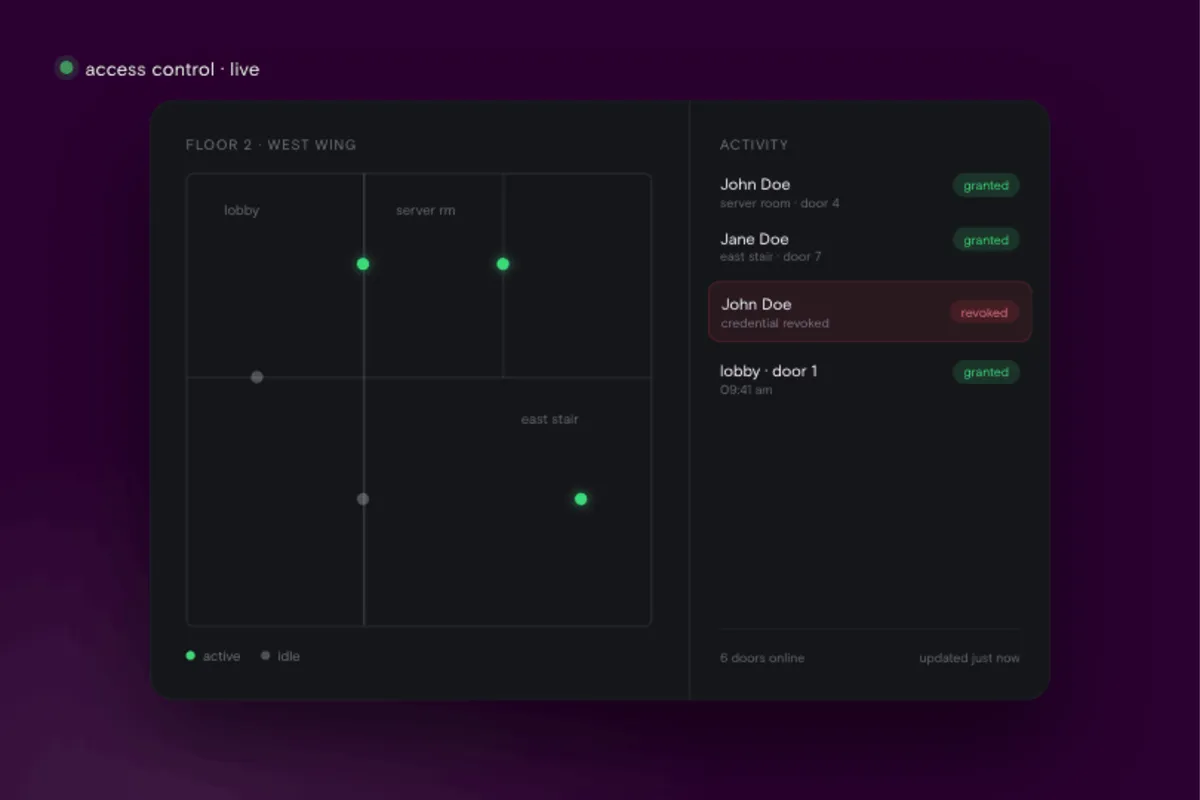
● Real-Time Tracking: Displays who is on-site, their location, and visit duration.
Advantages Over Manual Processes
● Eliminates illegible handwritingand data errors.
● Provides instant access to visitorlogs during audits or emergencies.
● Integrates with access controlsystems to automate permissions.
Primary Users
Front desk teams use visitor management systems to speed up check-in and keep the reception experience consistent. IT and security staff rely on them to monitor access in real time and enforcesecurity rules. HR and facilities managers use the data for compliance andsafety oversight, while employees can host guests without interruptions ordelays.
Manual sign-in processes are not only inefficient but also present securityand compliance risks. Digital visitor management has become the modernstandard.
Why Modern Offices Need Visitor Management Solutions
Organizations are increasingly adoptingvisitor management software to strengthen security, maintain compliance, andenhance the overall visitor experience. Manual sign-in systems are no longersufficient for workplaces that handle sensitive data, high visitor volume, orregulated operations.
Security and Compliance:
Modern regulations such as GDPR, CCPA, and HIPAA require strict control over how visitor data is collected, stored, andaccessed. A digital visitor management system provides the audit trailsnecessary for compliance reporting and incident response, ensuringorganizations can demonstrate accountability and data protection at all times.
Improved Visitor Experience:
A digital check-in system immediately conveysprofessionalism and efficiency. Guests can register quickly, receive printedbadges, and notify their hosts automatically—reducing confusion, wait times,and front desk bottlenecks while creating a positive first impression.
Streamlined Front Desk Operations:
Automation removes repetitive administrative tasks,freeing front desk staff to focus on personalized service and other high-valueresponsibilities. Real-time dashboards also give teams instant visibility intooccupancy and visitor flow, supporting smoother operations and better spacemanagement.
Data Privacy and Control:
Visitor information is stored securely with encryptionand strict access permissions. Organizations can define custom data retention policies that align with legal requirements and internal governance standards,reducing the risk of data misuse or noncompliance.
Risks of Outdated Methods:
Paper sign-in sheets or unprotected spreadsheets leaveorganizations vulnerable to data exposure and compliance violations. Beyondregulatory risks, poor visitor experiences can damage brand reputation andsignal operational inefficiency. Modern visitor management systems eliminatethese vulnerabilities and set a higher standard for workplace security andprofessionalism.
Key Features to Look for in an Office Visitor ManagementSystem
Not every visitor management systemoffers the same capabilities. The best solutions combine essential tools foreveryday use with advanced options that future-proof your investment.
Essential Features:
At a minimum, a good system should support digital check-in and pre-registration so guests can be approved before they arrive. ID verification adds a layer of security by confirming each visitor’s identity.Badge printing creates a clear visual record of who is on-site, while real-timevisitor tracking lets you see exactly who is in the building at any moment.Instant notifications keep hosts and security teams informed as guests arrive,improving coordination and response times.
Advanced Features:
Leading platforms go further with features that integrate seamlessly into your workplace systems. Access control integration automatically manages entry and exit permissions, while calendar syncing with tools like Outlook or Google Calendar ensures smooth scheduling. Custom workflows allow you to include NDAs, safety briefings, or health questionsduring check-in. Branding and interface customization make the sign-in processfeel like an extension of your company, and built-in analytics provide clearinsights into visitor trends and compliance performance.
Pro Tip:
Choose a system with open APIs and flexibleintegration options. Compatibility with HR, security, and facility managementtools makes the system more adaptable as your organization grows.
Best Practices for Implementing a Visitor Management System
Rolling out a visitor management system is as much about process as it is about technology. A careful approach ensures smooth adoption, minimal disruption, and measurable results.
Assess Needs and Engage Stakeholders
Start by identifying the types of visitors your office receives, such as clients, vendors, contractors, or interviewees. Gather input from security, IT, HR, and front desk teams. Involving these groups early helpsdefine requirements and encourages organization-wide ownership.
Plan Hardware and Software Integration
Check that your existing infrastructure can support the system. Verify compatibility with Wi-Fi networks, tablets, printers, and access control tools to prevent technical issues during setup.
Train Staff and Communicate Changes
Provide practical training for reception and securitystaff, along with clear guidance for all employees. Explain how the new processimproves both efficiency and safety so that adoption happens naturally.
Prioritize Data Security andCompliance
Protect visitor information through encryption, strictaccess controls, and regular audits. Establish data retention and deletionpolicies that comply with privacy regulations and internal standards.
Measure Success and Collect Feedback
Monitor key indicators such as check-in time, visitor satisfaction, and staff workload. Collect feedback from employees and guests tofine-tune processes and maintain improvement over time.
Implementation Checklist
Before launch, confirm that stakeholders are aligned, hardware is ready, integrations are tested, staff training is complete, anddata protection measures are in place.
Compliance, Privacy, and Security
Visitor information must be handled in accordance with strict security and privacy requirements. A well-configuredvisitor management system helps organizations stay compliant while protectingsensitive data.
GDPR and Data Protection
● Collect only the visitorinformation necessary for identification or safety purposes.
● Obtain clear consent beforeprocessing or storing personal data.
● Provide visitors with the optionto review, correct, or request deletion of their data.
Data Retention
● Define how long visitor recordswill be stored based on legal and business needs.
● Automate data deletion oranonymization once the retention period expires.
Security Best Practices
● Require multi-factorauthentication for system administrators.
● Encrypt all stored and transmittedvisitor data.
● Limit access through role-basedpermissions to ensure only authorized staff can view sensitive records.
Transparency and Consent
● Display a clear privacy notice atevery check-in point explaining how visitor data will be used.
● Require visitors to acknowledgeand accept these terms before completing check-in.
Reminder:
Failure to protect visitor data can lead to regulatory penalties and reputational harm. Choosing a platform built with enterprise-grade security, such as those offered by Acre Security, helps ensure compliance, data protection, and ongoing system integrity.
Real-World Use Cases
Social Media Platform (HQ Campus)
Challenge: The client was handling high visitor volume across multiple sites, and their previous system lacked deep integration with access control.
Solution: Acre deployed its Cloud Visitor Management platform, integrated with the client’s access control system, and rolled it out globallyafter a proof-of-concept.
Result: They achieved seamless visitor workflows, reduced administrativeburden, and strengthened coordination across locations.
Read the full case study: Acre Enterprise Visitor Management for Social MediaPlatform
German Supermarket Chain (UK Headquarters)
Challenge:The organization needed standardized visitor workflows across sites andintegration with their existing Exos access control system, for both wired andwireless doors.
Solution: Acre implemented its Enterprise Visitor Management solution incloud mode, integrated with Exos and Outlook/Teams systems. They set upself-service kiosks and used barcode badges for turnstile access.
Result: Visitor experience improved, access was unified across doorsystems, and the deployment set the stage for further expansion.
Read the full case study: Acre Visitor Management Cloud for German Supermarket Chain
How to Choose the Right Office Visitor Management System
Selecting a visitor management platformis a strategic decision that affects security, compliance, and dailyoperations. Use this framework to guide your evaluation.
Questions for Vendors
● How is visitor data secured andmanaged for compliance?
● Which systems and tools does theplatform integrate with?
● Can check-in workflows becustomized for different visitor types?
● What onboarding and supportoptions are included after purchase?
Requirements Checklist
● Alignment with security andcompliance standards
● Integration with existing accesscontrol and workplace systems
● Simple, intuitive experience forvisitors and staff
● Scalability to support additionalsites or future growth
Demo and Trial Tips
● Test the platform with real visitor scenarios.
● Include front desk, security, andIT staff in evaluations.
● Review analytics, reporting, andadministrative controls.
Total Cost Considerations
● Factor in hardware, software licenses, training, and upgrades.
● Compare pricing structures,including per-user and per-location models, to find long-term value.
Next Steps
If you are ready to improve how yourworkplace manages visitors, Acre Security is a good place to start. You can request a demo to see how the platform works in real environments and how it connects with your existing access control systems.
Spend some time exploring Acre Security’sonline resources to learn more about visitor management best practices and the roleof integrated security in modern offices. It is also worth reading AcreSecurity’s case studies, which show how differentorganizations have streamlined check-ins, improved compliance, and scaled theirsystems across multiple sites.
Looking at how others have used visitormanagement technology can help you plan your own rollout with confidence.

.webp)